Finance Dashboard
P&L overview, wallets with real balances, income/expense chart, and bonus accruals.
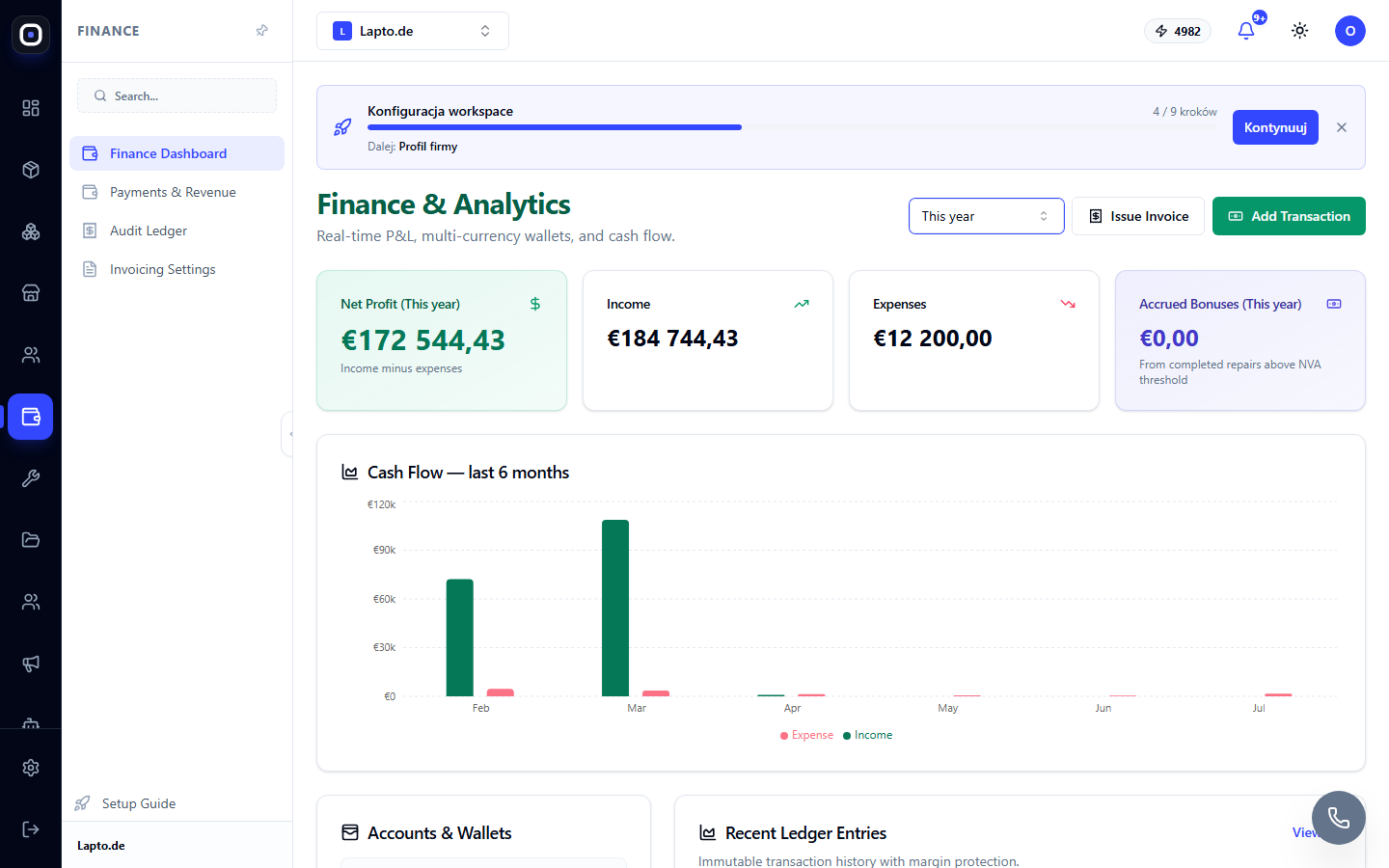
The Finance Dashboard provides a comprehensive view of your business's financial health on a single screen: profit, wallets, six-month trends, and recent transactions.
Where to find it
The Finance module (…/finance).
Selecting a period
In the top right corner, use the period switcher: This month, Last month, Last 3 months, This year. The P&L cards and the accrued bonuses amount are calculated for the selected period; the Cash Flow chart always shows the last 6 months regardless of the selection.
Metric Cards
- Net Profit — income minus expenses for the period;
- Income / Expenses — shown separately, with a breakdown visible on the chart;
- Accrued Bonuses — expected employee bonuses for completed repairs exceeding the Net Value Added (NVA) threshold; automatically calculated from the cost of work, parts, and hourly rate — threshold and bonus rate settings are in Workspace Settings.
Cash Flow — 6-month chart
A bar chart showing monthly income and expenses. Hover over a bar to see the exact amount.
Accounts & Wallets
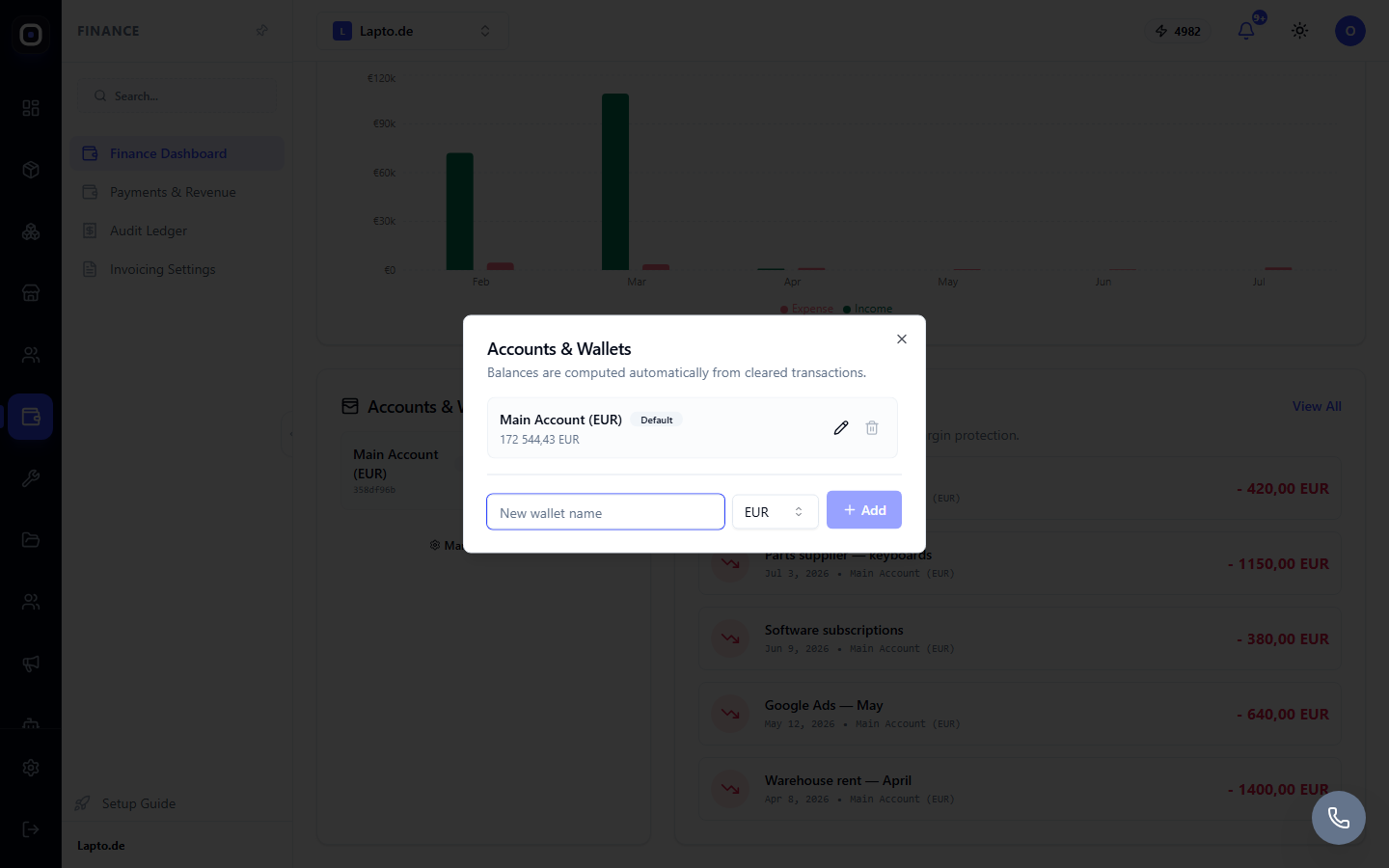
- This card displays all workspace wallets with their real balance, which is automatically recalculated with every new, modified, or deleted transaction — no manual reconciliation is needed;
- The Manage Accounts button opens wallet management: creating a new wallet (with a chosen currency), renaming, setting a wallet as default, deleting (a wallet with existing transactions cannot be deleted — first move or delete the transactions).
Adding a transaction
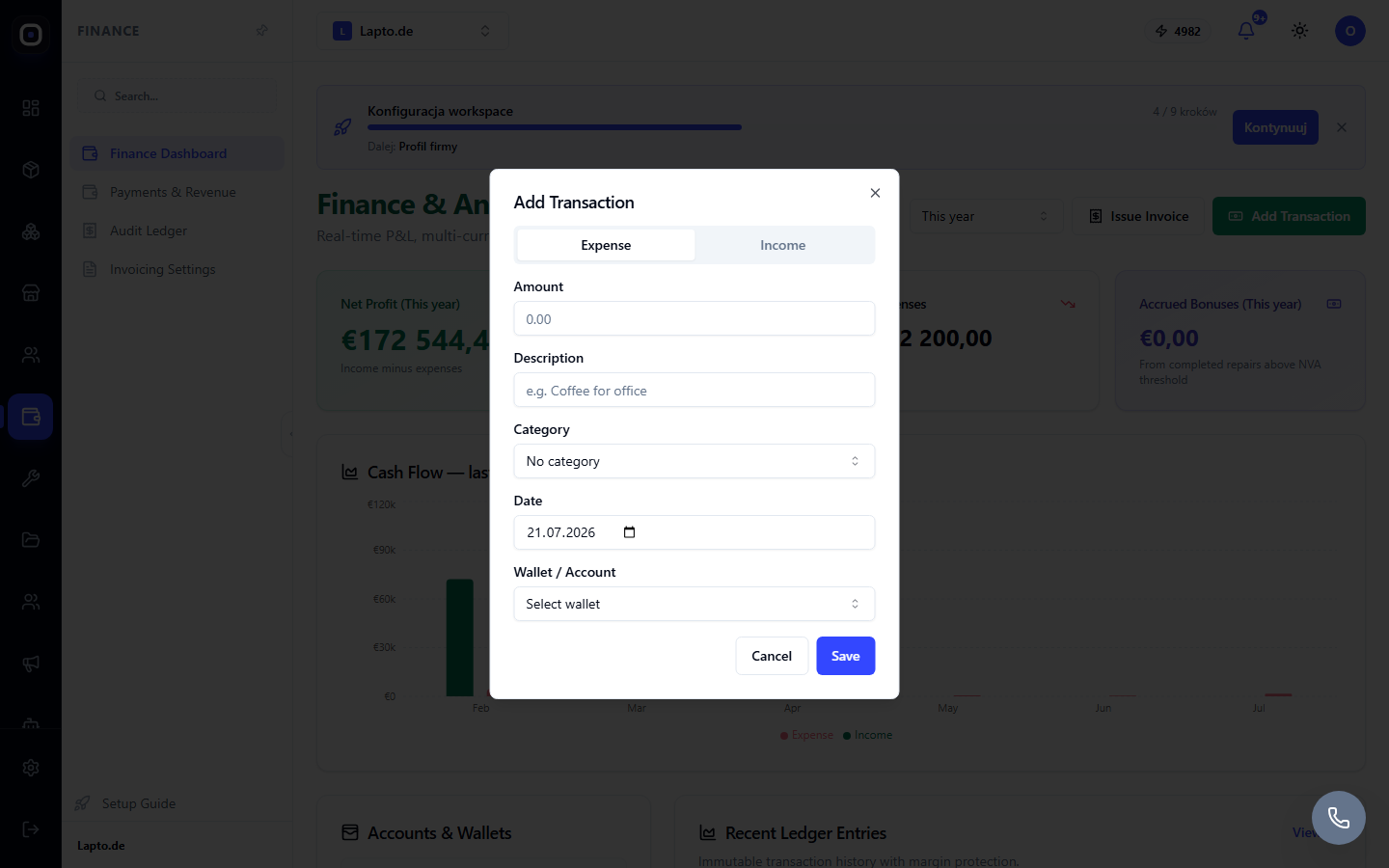
The Add Transaction button opens a form: Expense / Income switcher, amount, description, category (you can create a new one right here), date, wallet. Income and expenses are recorded in the selected wallet and immediately appear in the Audit Log.
Other sources of transactions
In addition to manual entries, the log automatically includes: paid store orders, returns/refunds, completed service center repairs (with margin calculation). Such transactions are immutable; they cannot be edited or deleted from the interface.
Tip
The Finance Dashboard is for the owner's weekly overview; for daily sales operations, Sales Analytics is more suitable.