Audit Ledger
Full financial transaction log with filters, pagination, Excel export and margin control.
Audit Ledger — a chronological log of every financial transaction in the workspace, with filters, pagination and export.
Where to find it
Finance module → Audit Ledger (…/finance/ledger).
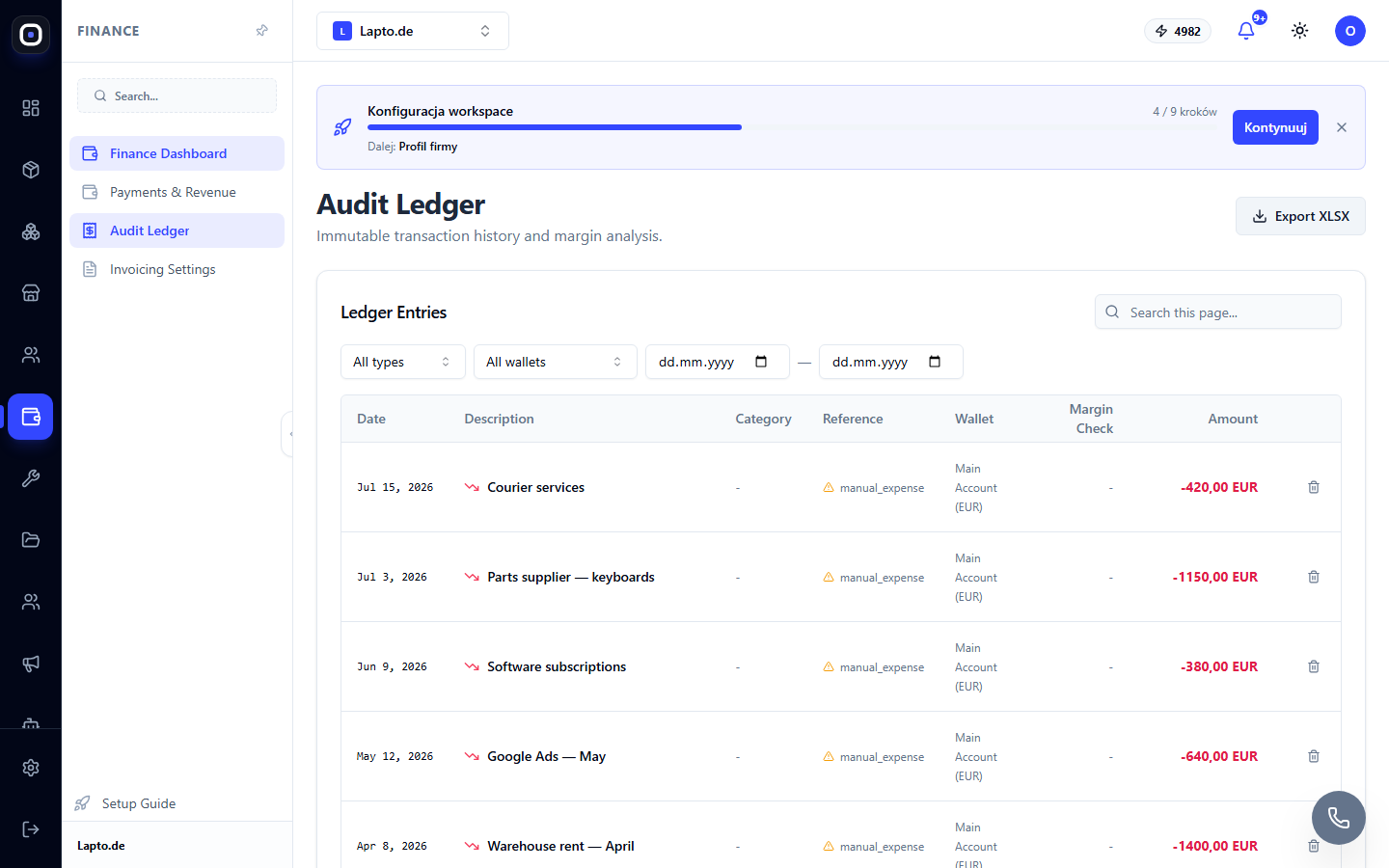
Filters
Above the table is a filter row: transaction type (income/expense), wallet, a "from — to" date range, and a search box that matches description/category/reference within the current page. A Clear filters button appears as soon as any filter is active and resets all of them at once.What the table shows
Date, description, category, transaction source (shop_order, shop_order_return, repair, manual_expense, manual_income — with an icon), wallet, margin check and amount.
- The Margin Check column flags negative margin with a Negative Margin Alert badge — the row gets a red background so a loss-making deal never slips by unnoticed; positive margin is shown in green.
- Entries from automated sources (orders, returns, repairs) are immutable: the delete button only appears for transactions added manually via Add Transaction.
Pagination and export
The ledger loads 50 entries per page (Prev / Next buttons at the bottom). The Export XLSX button exports every transaction matching the current filters (up to 5000 rows) to Excel, including category, wallet, currency and the margin flag — handy for handing off to your accountant.Common uses
- Explaining discrepancies — "why does the report show a different total?" — filter by wallet and date to see every movement;
- preparing for a bookkeeping reconciliation via the XLSX export;
- margin control — filtering by type and sorting by date quickly surfaces loss-making transactions.
Read next
- Action audit logs — non-financial events