Poster Studio: Overview
Create banners, posters, and social media creatives for promotions — a layer editor with AI tools.
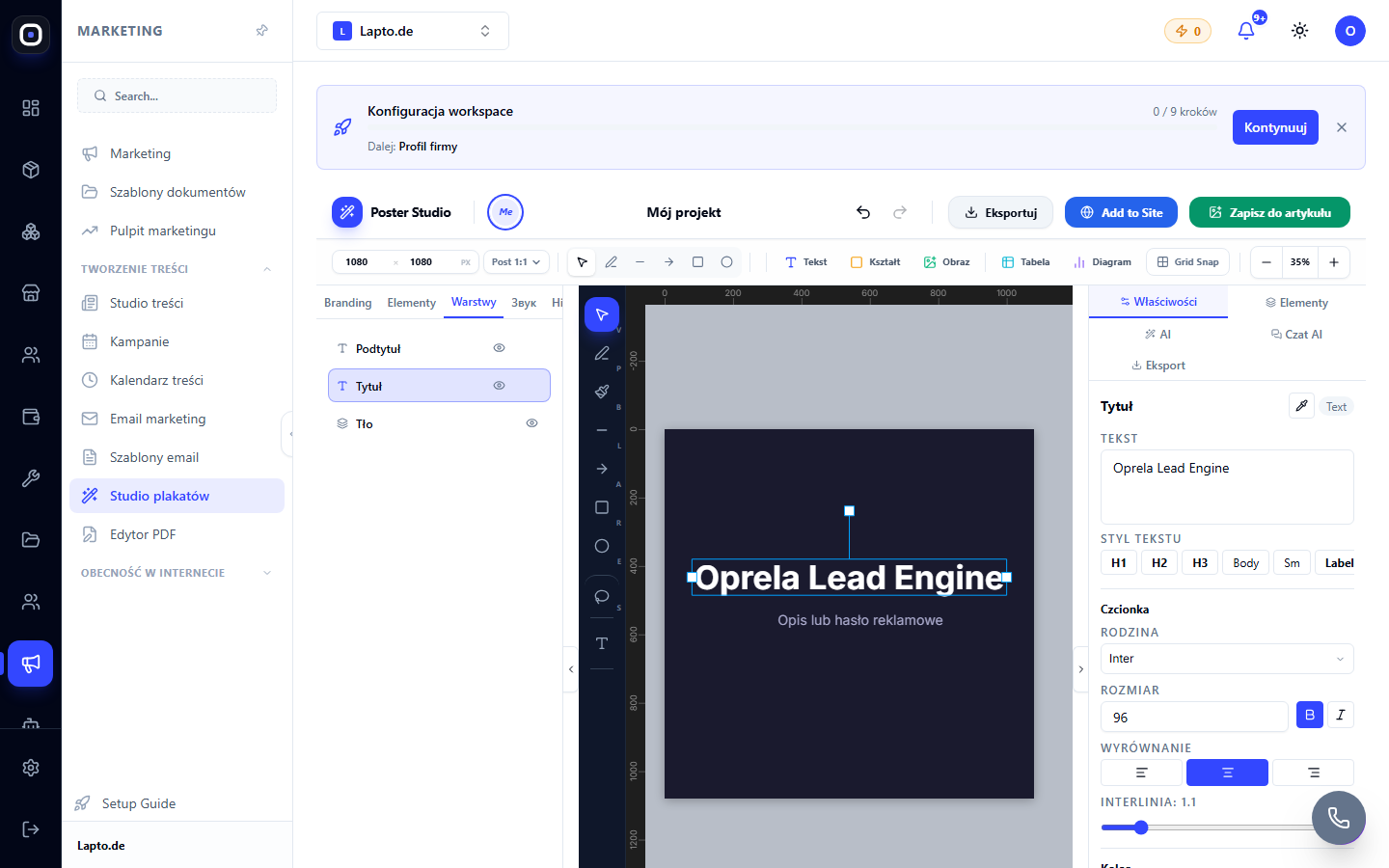
Poster Studio is a graphic editor for any images within the application: website banners, social media creatives, print posters, article covers, job vacancy designs.
Where to find it
Marketing module → Poster Studio (…/poster-studio) — for working from scratch.
Or the "Edit in Poster Studio" button directly on any image in the application (in the website builder, product cards, articles, PDFs) — the editor will open immediately with that image.
Formats
Ready-made size presets: social media post and stories (1080×1080, 1080×1920), website banner, hero image, MOS photo (684×883), A6–A3 in portrait and landscape orientation, Letter — or custom size.
Layers and basic editing
- Layers: text, rectangles, ellipses, images, drawing (pen/arrows), tables, charts, QR codes;
- Cropping with aspect ratio presets and freeform cropping;
- Alignment, grouping, action history (undo/redo);
- Magic Resize — recalculate a finished design to another format with one click.
What's next
- Poster Studio AI tools — background generation, background removal, quality upscaling, lasso editing, AI chat designer;
- Templates, Brand Kit, and teamwork;
- Editing website images via Poster Studio;
- Designing posters for job vacancies.
Typical scenarios
- Promotional banner for the storefront homepage;
- Creative for an Instagram post (Meta channels);
- Price tag/poster for a physical location — printing via cloud printing.