Connecting PayPal
Accept PayPal payments at the store checkout — directly to your own PayPal Business account.
In addition to Stripe, the store can accept PayPal payments — funds go directly to your PayPal Business account, without Oprela's intermediation.
Connection
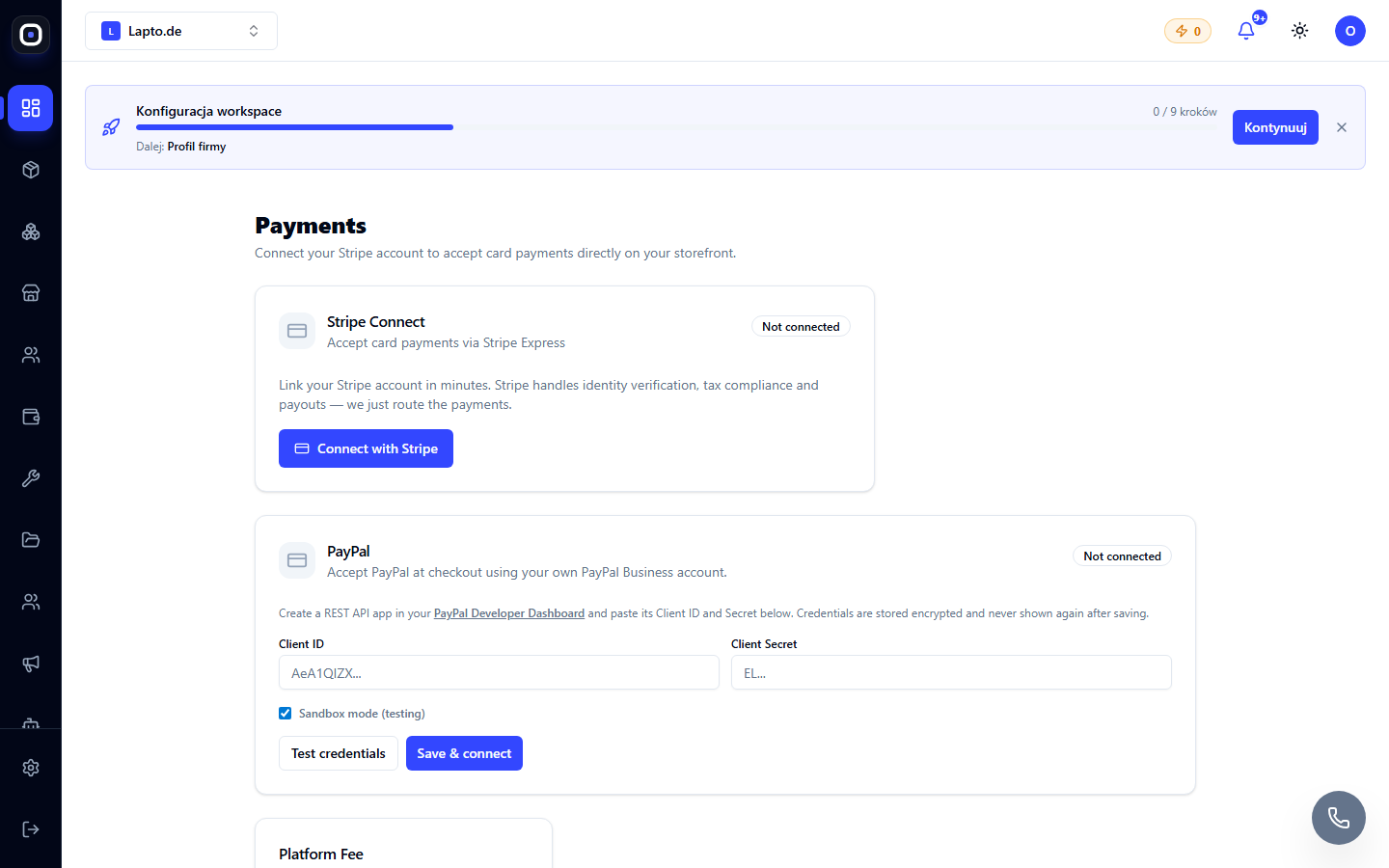
- Create a REST API application in the PayPal Developer Dashboard — you will receive a Client ID and Client Secret.
- Open Storefront → Payments (
…/erp/payments) — PayPal section. - Paste the Client ID and Secret. To test without real money, enable Sandbox mode.
- Click Test credentials to check the connection, then Save & connect.
What the customer sees
At the checkout, a PayPal button appears next to the card and invoice options. The secret key is never shown again after saving — if you forget it, create a new one in PayPal and paste it again.
Limitations
A gift card that fully covers an order cannot currently be combined with PayPal payment — in such a case, the checkout will offer to complete the order without additional payment. See Gift Cards.