Production Material Flow: Need, Reservation, Kitting, and Movement
How much material each order needs, how much is already reserved, and how much is missing. How to reserve material, assemble a kit, and record movement from the warehouse to the workshop.
An order can be perfectly planned, but if the pipe isn't delivered to the workshop, it will stall. The "Production Material Flow" page shows the material's journey from need to write-off: what's needed, what's already set aside, what's missing, and what's been moved where.
It's essential for three types of people: the planner, to avoid starting orders without material; the storekeeper, to know what to gather and where to deliver it; and the manager, to see shortages before they halt production.
Where to find the page
In the left-hand menu, open Production → Material Flow. The page URL ends with …/erp/production/material-flow.
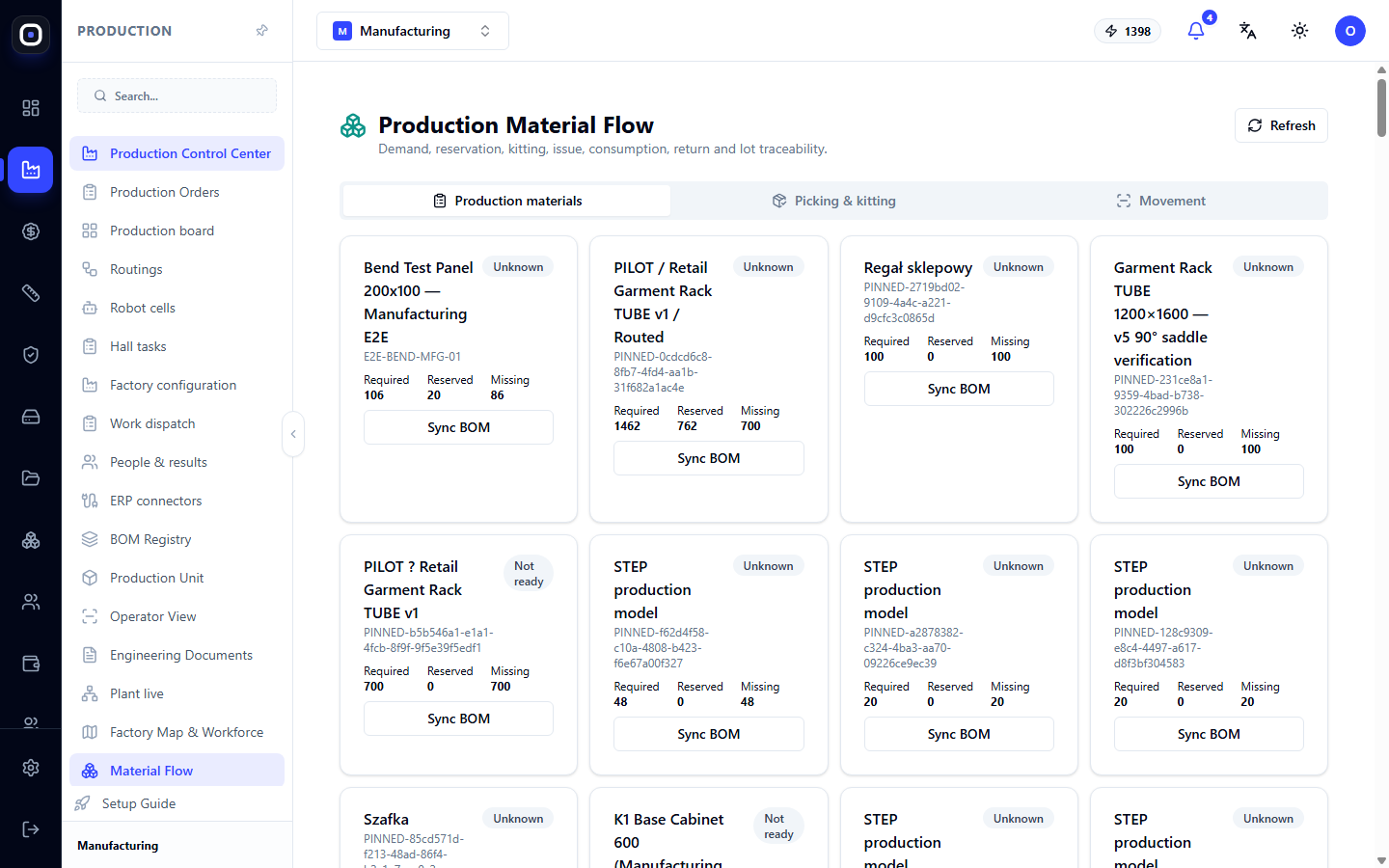
Below the title, all stages covered by the page are listed: need, reservation, kitting, issuance, consumption, return, and batch traceability. The Refresh button on the right reloads the data.
The page has three tabs: Production Materials, Kitting, and Movement.
"Production Materials" tab
This is an overview of the material need. Each production order is shown as a separate card.
On the card, you can see:
- Product name and order code;
- Material readiness status, e.g., "Not Ready" or "Unknown";
- Needed — how much material the order requires according to the BOM;
- Reserved — how much is already set aside for this order;
- Missing — the difference between the first and second;
- Sync BOM button.
Three numbers to read together
Example from a card: 1462 needed, 762 reserved, 700 missing. This means that a little over half of the material is already set aside, and 700 units still need to be found in the warehouse or purchased.
If "Missing" is zero, the material is fully supplied, and the order can be launched without risk of downtime.
If "Reserved" is zero, but the order has already been launched, this is an alarming signal: the workshop is working with material that no one has assigned to this order, and another order might take it.
Sync BOM
The need is calculated from the order's Bill of Materials (BOM). If the BOM has been updated, but the numbers on the card are old, click Sync BOM. The system will re-read the BOM and recalculate the need.
The "Unknown" status usually means exactly this: the need has not yet been calculated, or the BOM has not been synchronized.
"Kitting" tab
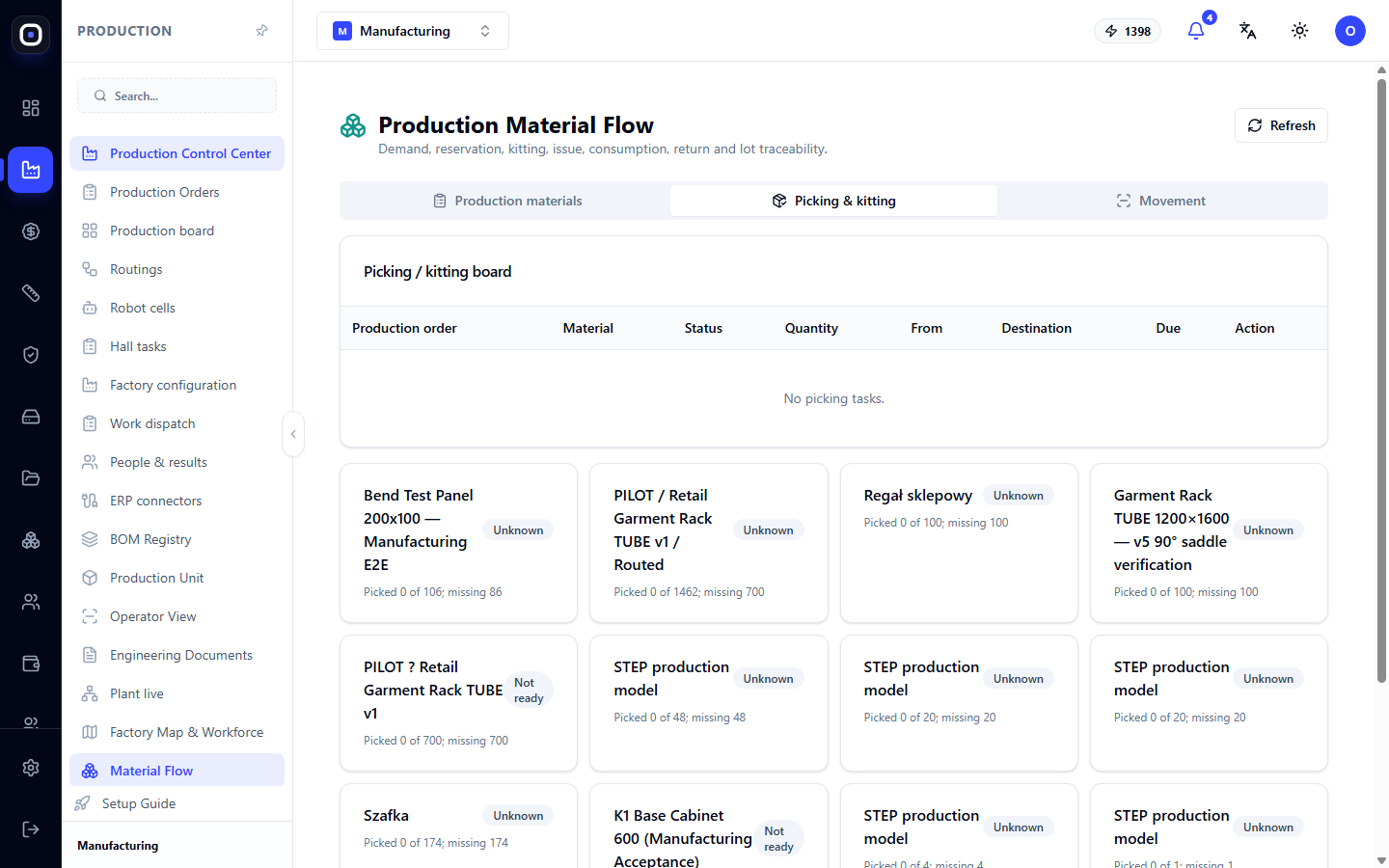
Kitting is the process of gathering materials for a specific order before moving them to the workshop. The storekeeper collects everything needed in one place so that the operator doesn't have to search for parts in the warehouse.
At the top, there is a kitting table with columns: production order, material, status, quantity, from, to, deadline, and action. If there are no kits yet, the table is empty.
Below are the same order cards, but with the ability to act: select material, specify the quantity, and click Reserve. Reserving material assigns it to the order: from now on, it cannot be issued for another order.
Reserve material immediately after launching an order. Then, shortages will become visible on the day of launch, not on the day the operator comes for the pipe.
"Movement" tab
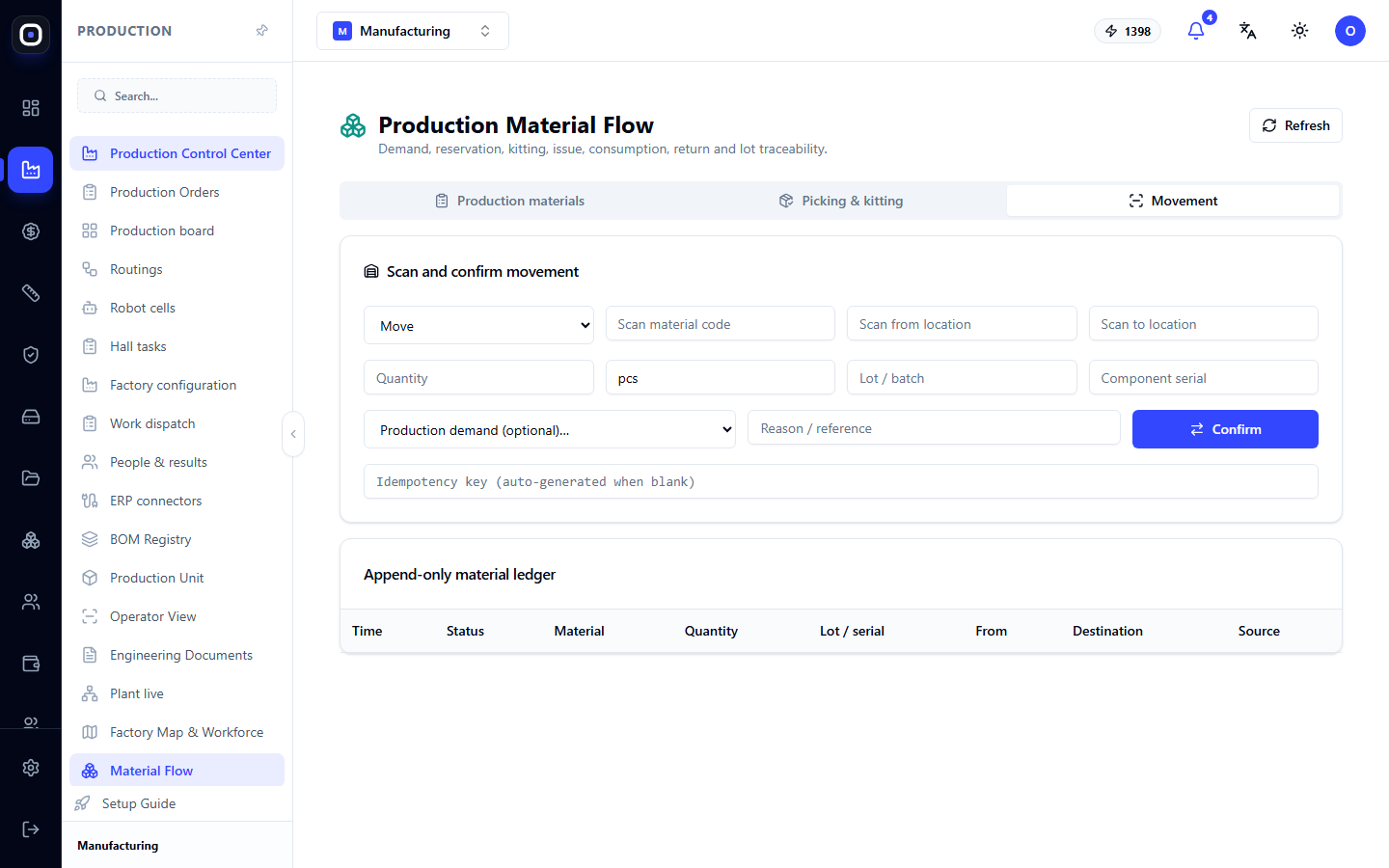
This is where every actual material movement is recorded, and a log of these records is kept.
"Movement Accounting" form
In the form, you select the movement type (e.g., transfer, issue to production, return), specify the material, the "from" location and "to" location, quantity and unit, and the production need it relates to. You can add a note. The Confirm button saves the record.
If the material is accounted for by batches or serial numbers, specify them. This is what allows you to answer the question "from which sheet batch was this part made" later.
Log
Below the form, an immutable material log is displayed. Columns: time, status, material, quantity, batch or serial number, from, to, and source of record.
The word "immutable" is important here. A log entry cannot be edited or deleted. If a mistake is made, it is corrected by a reverse entry. This way, the log remains reliable: it always shows what actually happened with the material.
How this relates to the rest of the system
- Bill of Materials (BOM) determines how much material is needed.
- Cutting optimization reduces the need: if finished parts are already in stock, there's no need to cut them.
- Production orders show readiness. An order without material will not turn green.
- Warehouse is the source and receiver of movement: material leaves a warehouse bin and returns to it.
Typical workflow
- After launching an order, open Production → Material Flow.
- Find the order card and click Sync BOM if the status is "Unknown".
- Look at the Missing number.
- Go to the Kitting tab and reserve available material.
- For what's missing, place a purchase order.
- When material is moved to the workshop, record the movement on the Movement tab.
- Return any leftovers after work to the warehouse with a reverse movement.
Frequently Asked Questions
The card says "Unknown"
The need has not yet been calculated. Click Sync BOM.
The "Needed" number doesn't match what the technologist calculated
Check which BOM revision is assigned to the order. A launched order is calculated based on its fixed revision, not the latest one.
I made a mistake in the quantity when recording movement. How do I correct it?
A log entry cannot be edited. Make a reverse movement for the same quantity, and then record the correct one.
Why reserve if the material is already in the warehouse?
Without a reservation, the same sheet could be issued for two orders. Reservation ensures that the material waits specifically for your order.
Are purchased parts here too?
Yes. The need is calculated for everything in the BOM, including purchased items.