Bulk Edit Products
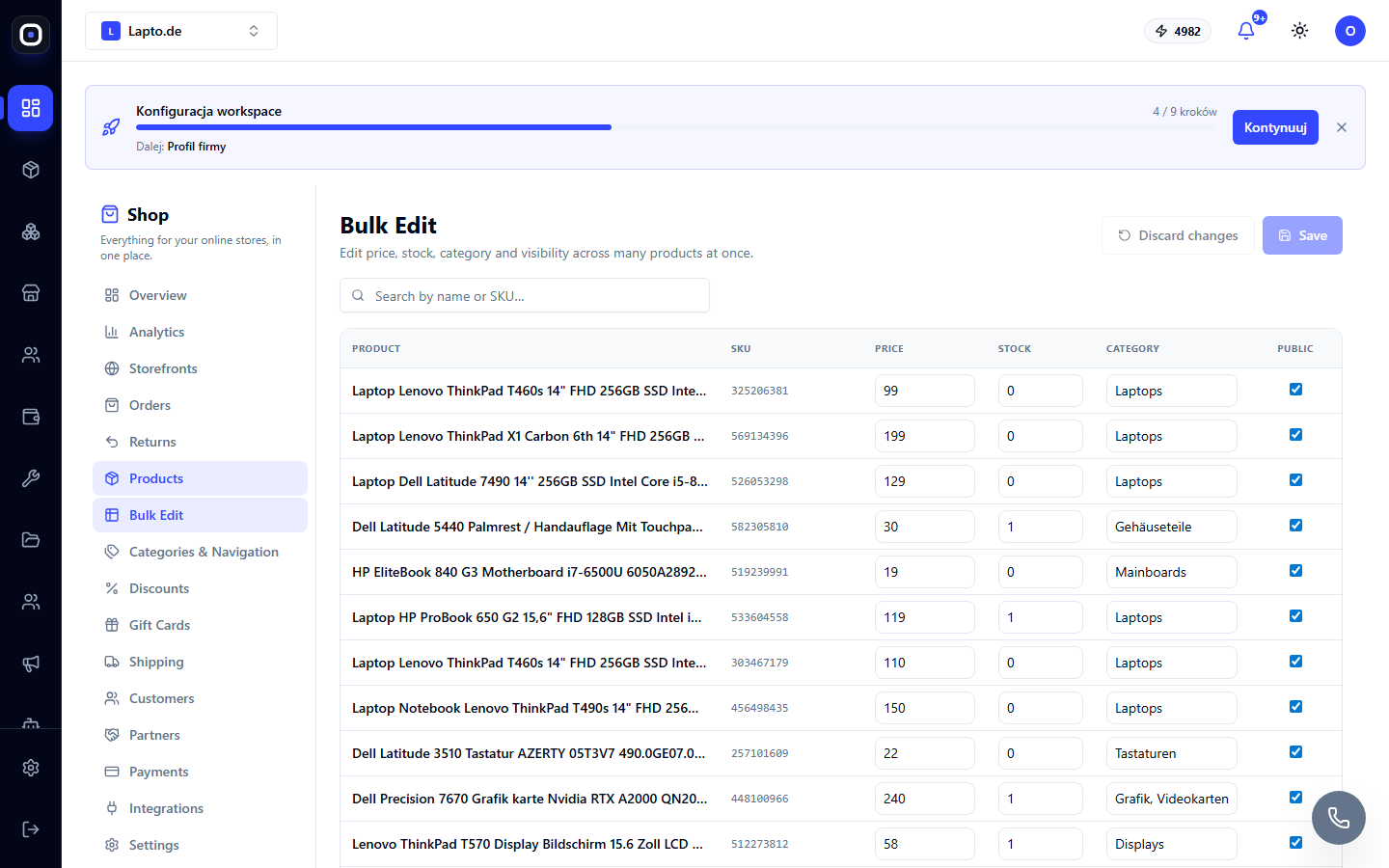
A table for quickly changing the price, stock, category, and visibility of many products at once.
Bulk Edit is a table-format editor for quick bulk changes: raise prices by 10%, update stock after inventory, hide a series of products.
Where to find it
Shop module → Bulk Edit (…/shop/products/bulk-edit).
How to use
- Find the desired products by searching by name or SKU.
- Click on the Price, Stock, Category cell or the Public checkbox and edit the value directly in the table.
- Changed cells are highlighted in yellow — these are not yet saved.
- Save applies all changes in one batch; Discard changes cancels everything that hasn't been saved.
What's the difference from bulk registration
Bulk product registration is for new products (receiving a batch). Bulk Edit is for editing existing products in the catalog.