Sales Pipeline
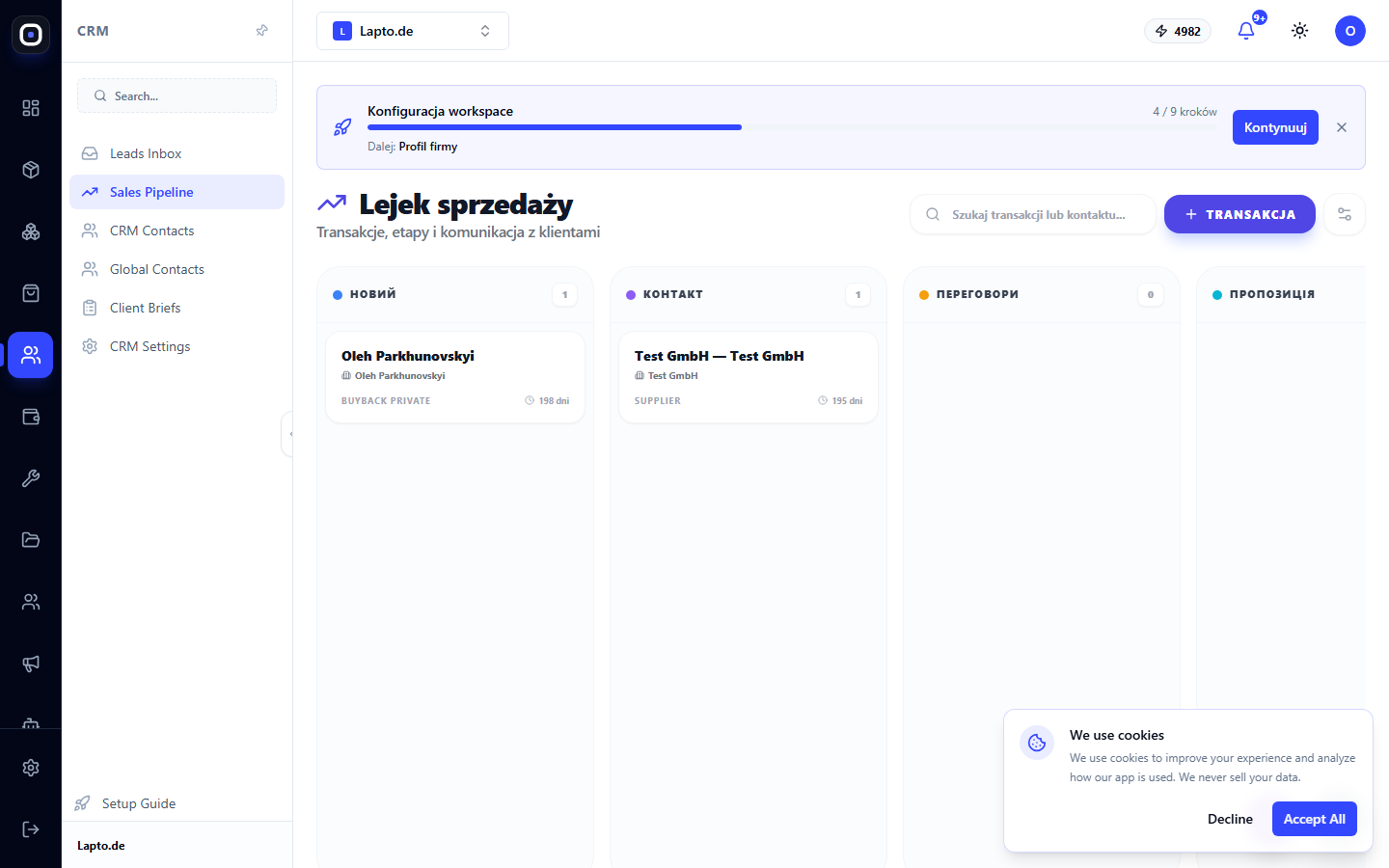
Kanban board of deals by stage: column totals, deal cards, and deal card with activity and email.
Sales Pipeline is a Kanban board for your deals: each column is a stage, and each card is a client deal.
Where to find it
CRM & Contacts module → Sales Pipeline (/crm/pipeline).
Board
- If there are multiple pipelines in the workspace, use the pipeline switcher at the top;
- Search by deal name or contact details (name, email, company, phone);
- Each column is a stage: name, color marker, number of deals, and total amount for the column;
- The deal card shows the name, amount, company/contact name, source (label: 3D widget, store, registration form, etc.), and how many days the deal has been in this stage;
- Drag and drop a card to another column to change its stage.
Creating a deal
Click the "Deal" button → deal name, amount, currency, initial stage, contact (select an existing one or create a new one directly in the form) → "Create Deal".
Deal card
Clicking on a card opens a side panel:
- Amount and expected close date — can be edited directly here;
- Pipeline stage — can be changed from the list, not just by dragging;
- "Activity" tab — notes, calls, tasks, meetings; tasks can be marked as completed;
- "Email" tab — send an email to the contact directly from the deal card;
- Delete deal (along with activity history).
Pipeline and stage settings
The gear icon at the top leads to CRM Settings — where new pipelines and stages are created, and the AI sales agent for new leads is enabled.