Cloud Print Job Queue
Print history from all modules: status of each job, cancellation, source.
Print Jobs — a log of all tasks sent for cloud printing: what, on which printer, from which system module, and with what result.
Where to find it
Printing & Labels module → Print Jobs (/erp/cloud-print/jobs).
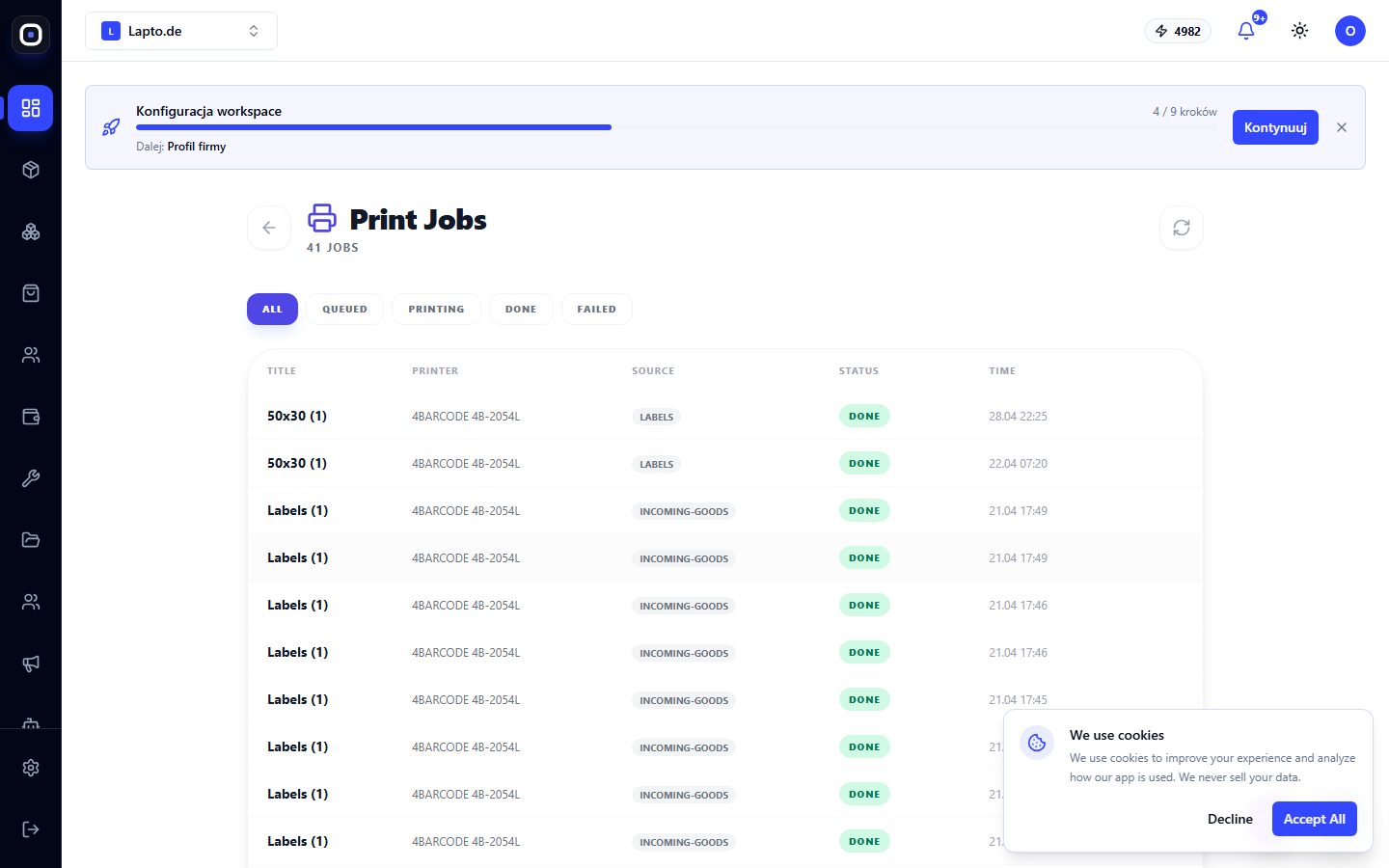
List of jobs
Columns: name, printer, source (indicating which module sent the job — for example, label designer or goods receipt), status (In Queue / Printing / Done / Error), time. Filter chips allow you to show only a specific status.
Actions
- Cancel — available while the job is still "In Queue";
- jobs with "Error" status do not have a retry button here — return to the original location (e.g., product card) and click print again.