See the order on a 3D model, not in a spreadsheet
Every part has a state, an operation and an assignee — you see what is ready to start, what is in progress and what is waiting for a decision.
An order you can see
Click a part on the model or in the list and assign it, prepare it for cutting or join it into an assembly right away.
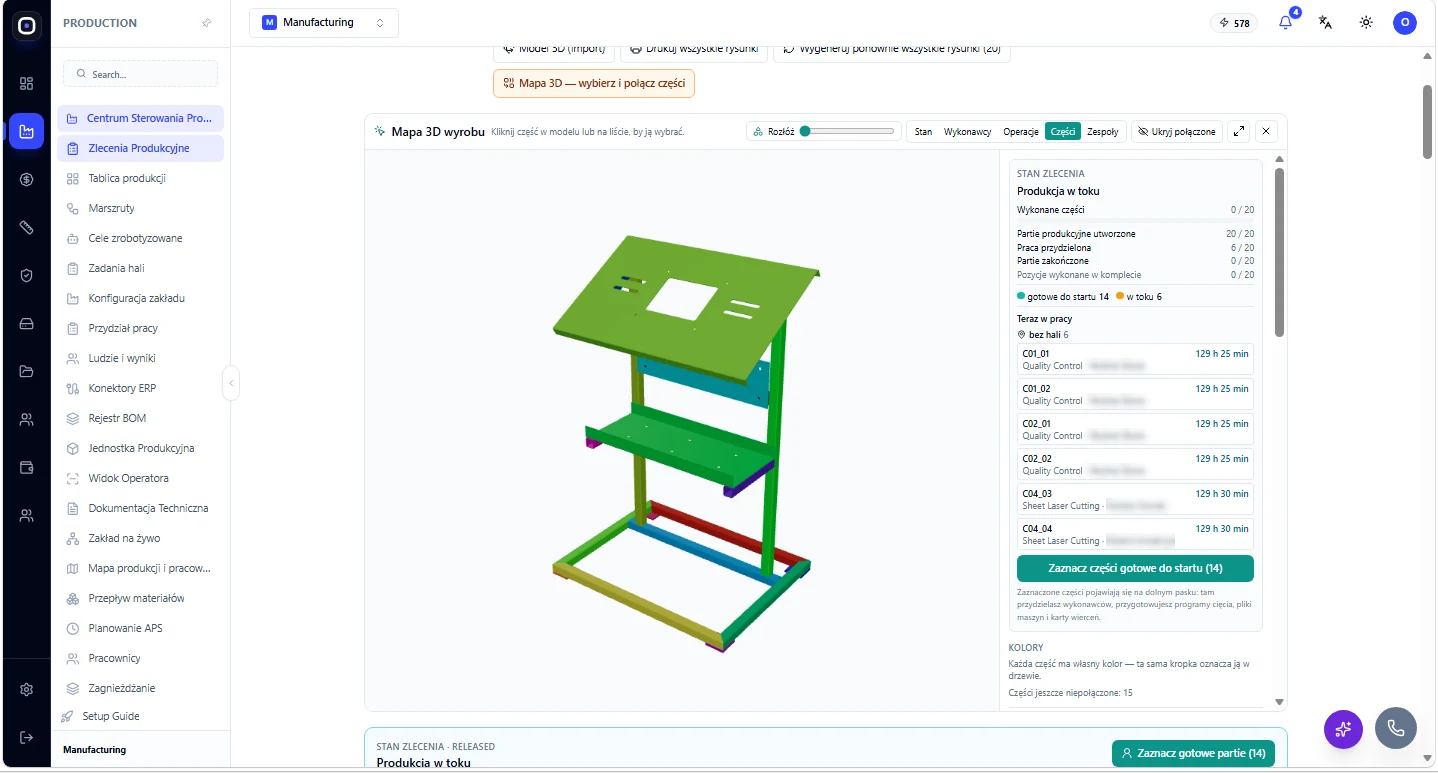
A 3D product map
Parts coloured by state, assignee, operation or assembly. Select a part and assign it in one click.
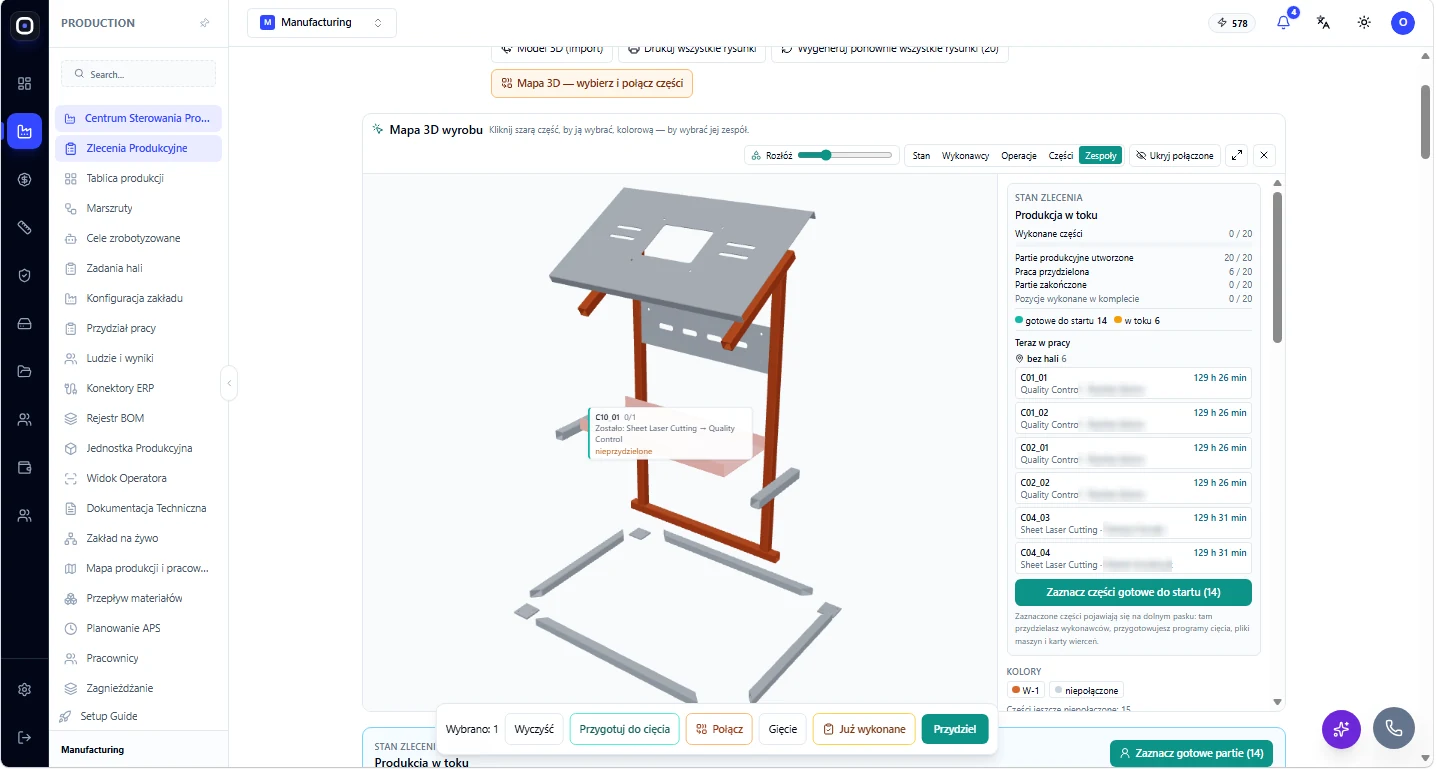
An exploded view
Pull the assembly apart, pick parts and join them into a welded assembly, or mark them as already done.
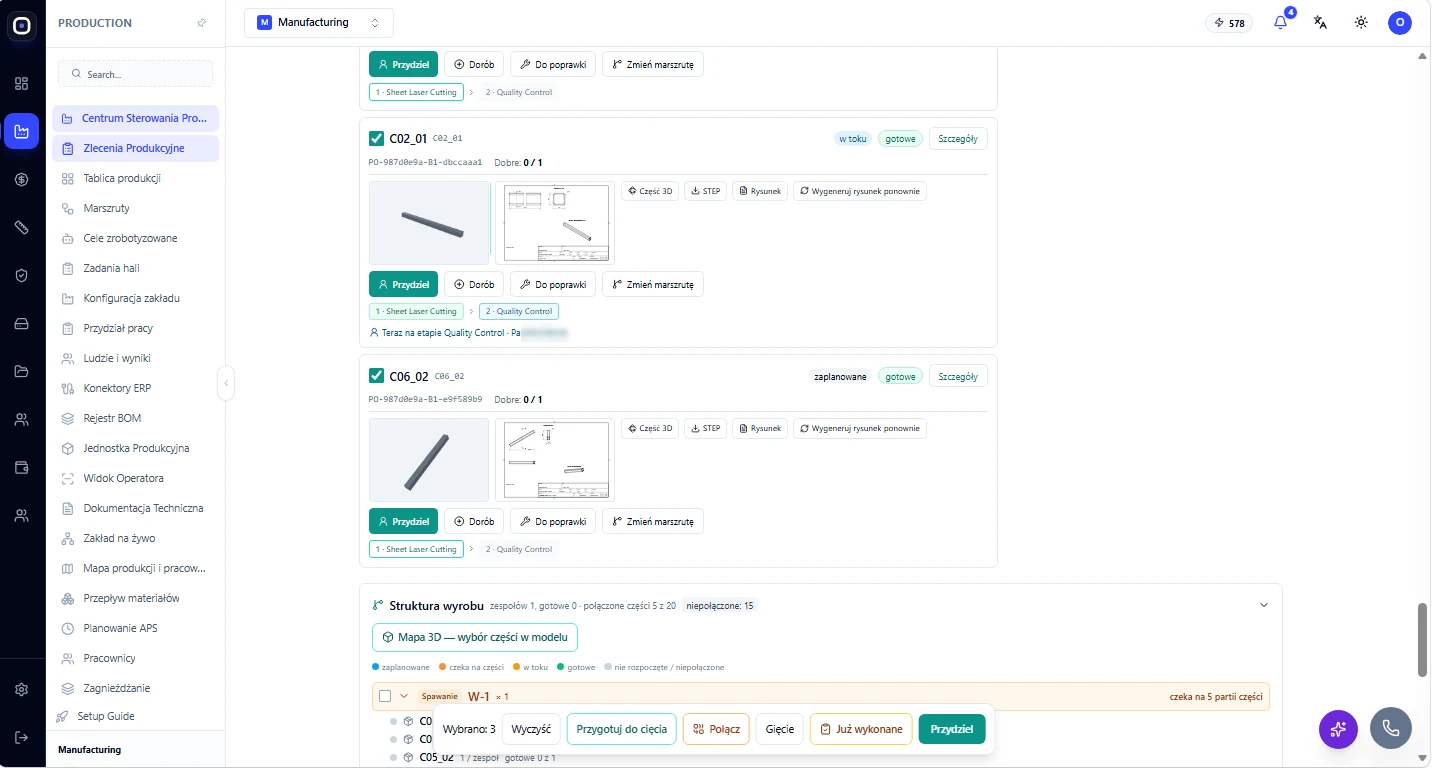
Part cards with a drawing and a route
Each part has a 3D model, STEP, a drawing and its own route, for example laser cutting, then quality control.
The board and work dispatch
What to do now, who is free and which work has nobody to do it.
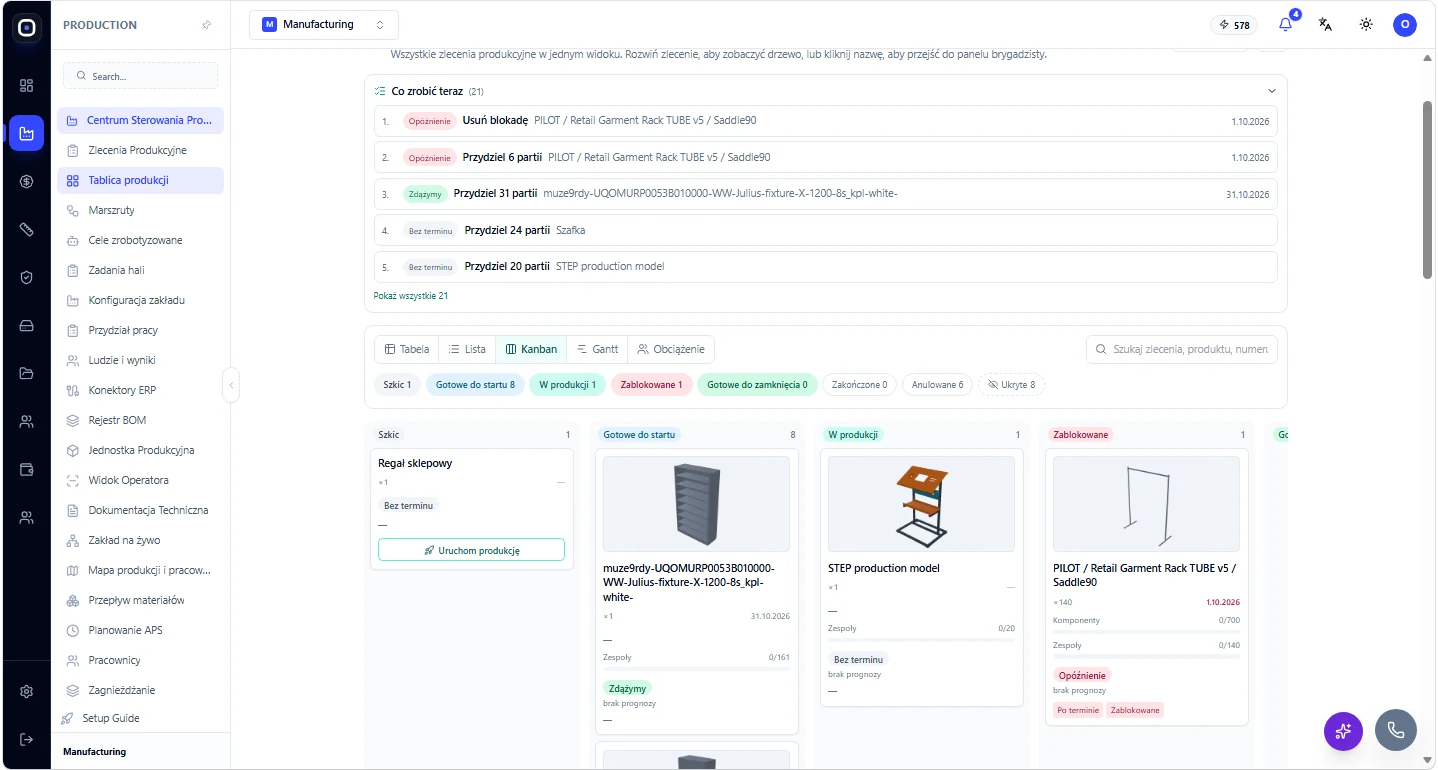
The production board
Table, list, Kanban, Gantt and load views. A “What to do now” list points out delays and blockers.
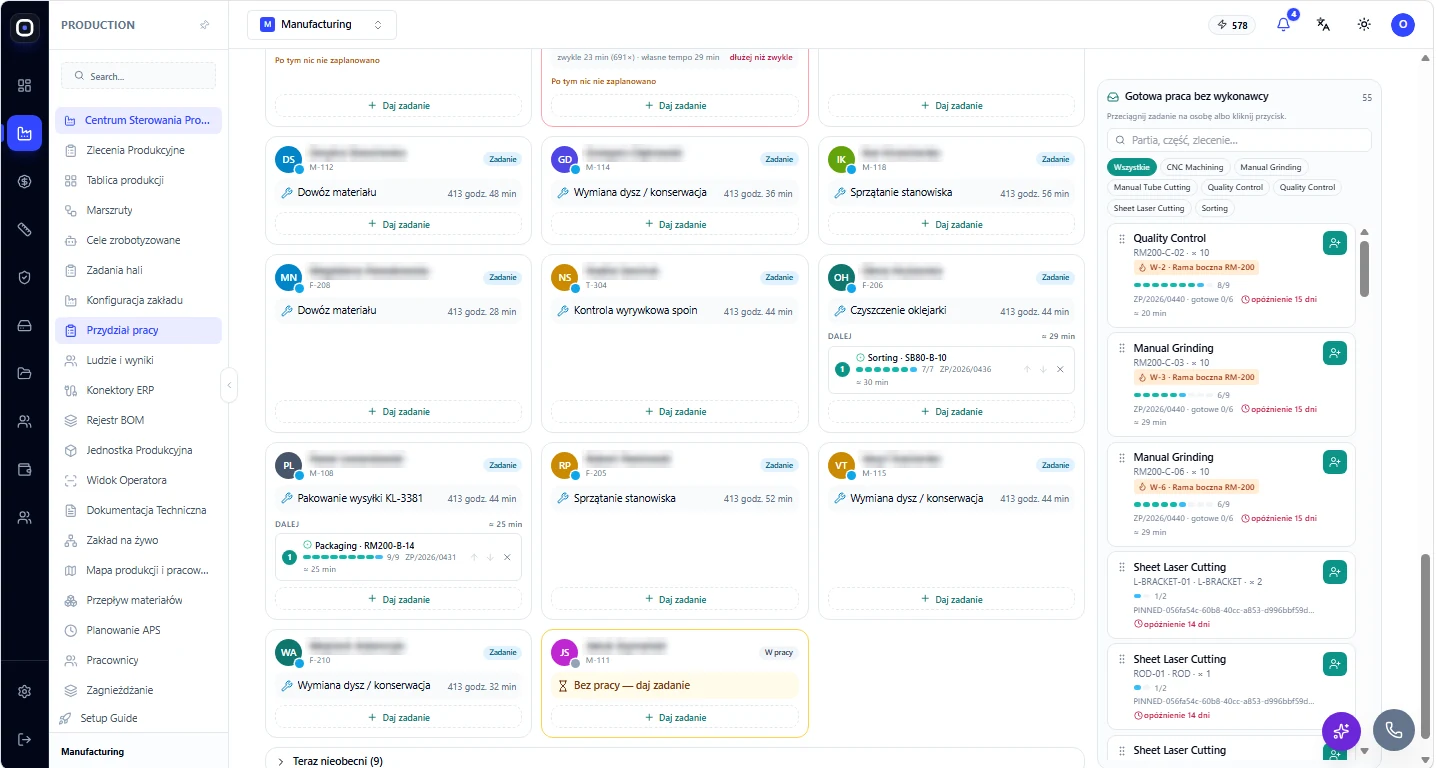
Work dispatch
Cards per worker with the current task and the queue. Drag ready operations with no assignee onto a person.
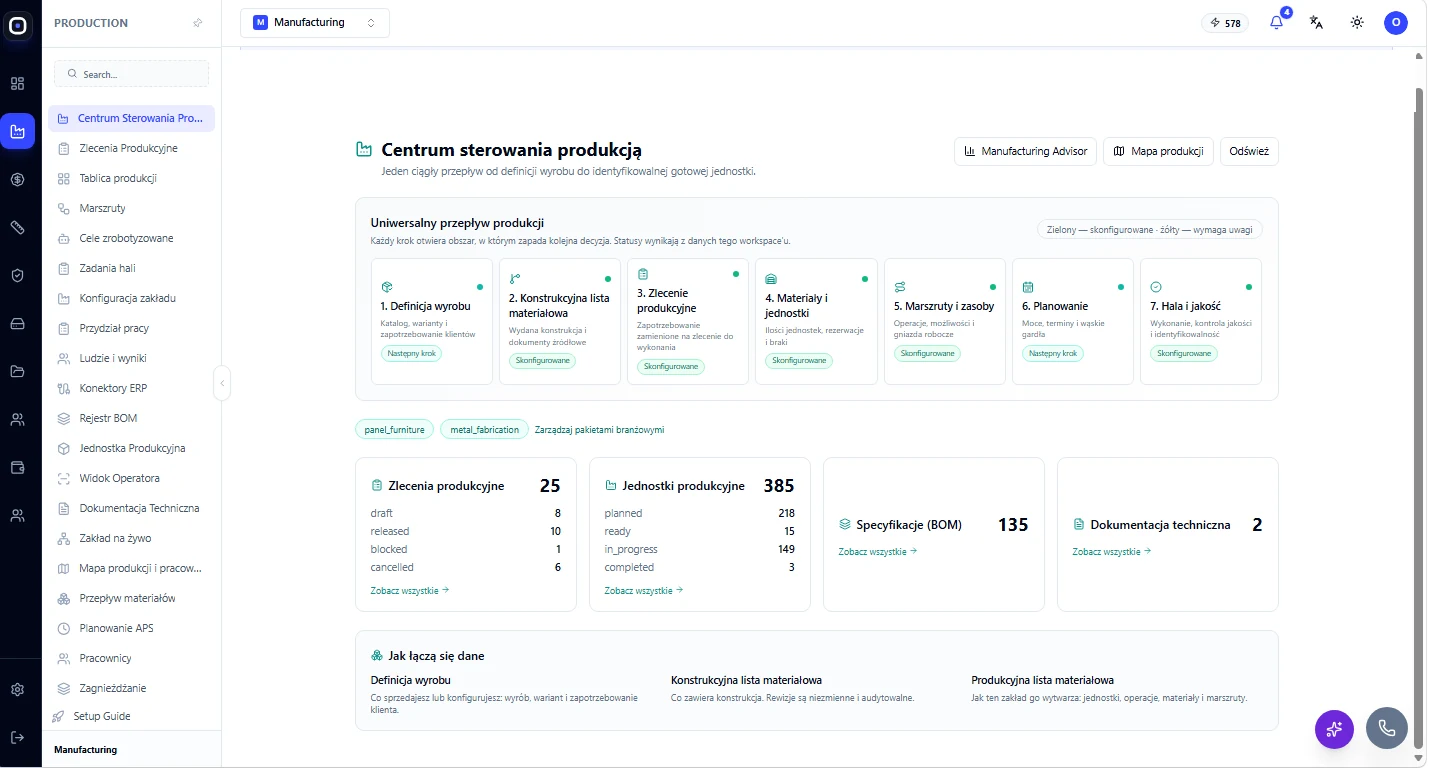
The control centre
Seven steps from product definition to shop floor and quality, showing which step is configured and which needs attention.
The whole plant in one system
From a customer request to a traceable finished unit — see every area on real screens.
Sales & 3D configurator
Request, 3D model, price and offer in one view.
Engineering: CAD, drawings and BOM
CAD, drawings, STEP import and an automatic BOM.
Costing
Cost from material and routing, quantity breaks, make or buy.
Shop floor: operators, tasks and results
Operator terminal, shop-floor tasks, bending and team results.
The plant & the production map
Halls, machines, people and a live production map.
Robotic welding
A robot cell in 3D: reach, collisions and a welding simulation.
Quality & traceability
Inspections, defects, non-conformities, rework and scrap.
How we roll Oprela out in a plant
A pilot on one line, then scaling across the plant.
Questions from manufacturers
Does it plan by capacity?+
Can we work without 3D?+
Take your production digital this week
Your 14-day free trial includes engineering BOM, production orders and quality control.