Custom File Storage (Cloudflare R2 / S3)
Connect your own Cloudflare R2 (or S3-compatible) bucket instead of Oprela's shared storage — get your own domain for files and independence from storage limits.
By default, all files (product photos, documents, media) are stored in Oprela's shared storage, the volume of which depends on your plan. Alternatively, you can connect your own Cloudflare R2 bucket (or other S3-compatible storage) — files will then be stored in your infrastructure account.
Where to find it
Files module → settings (…/erp/files/settings).
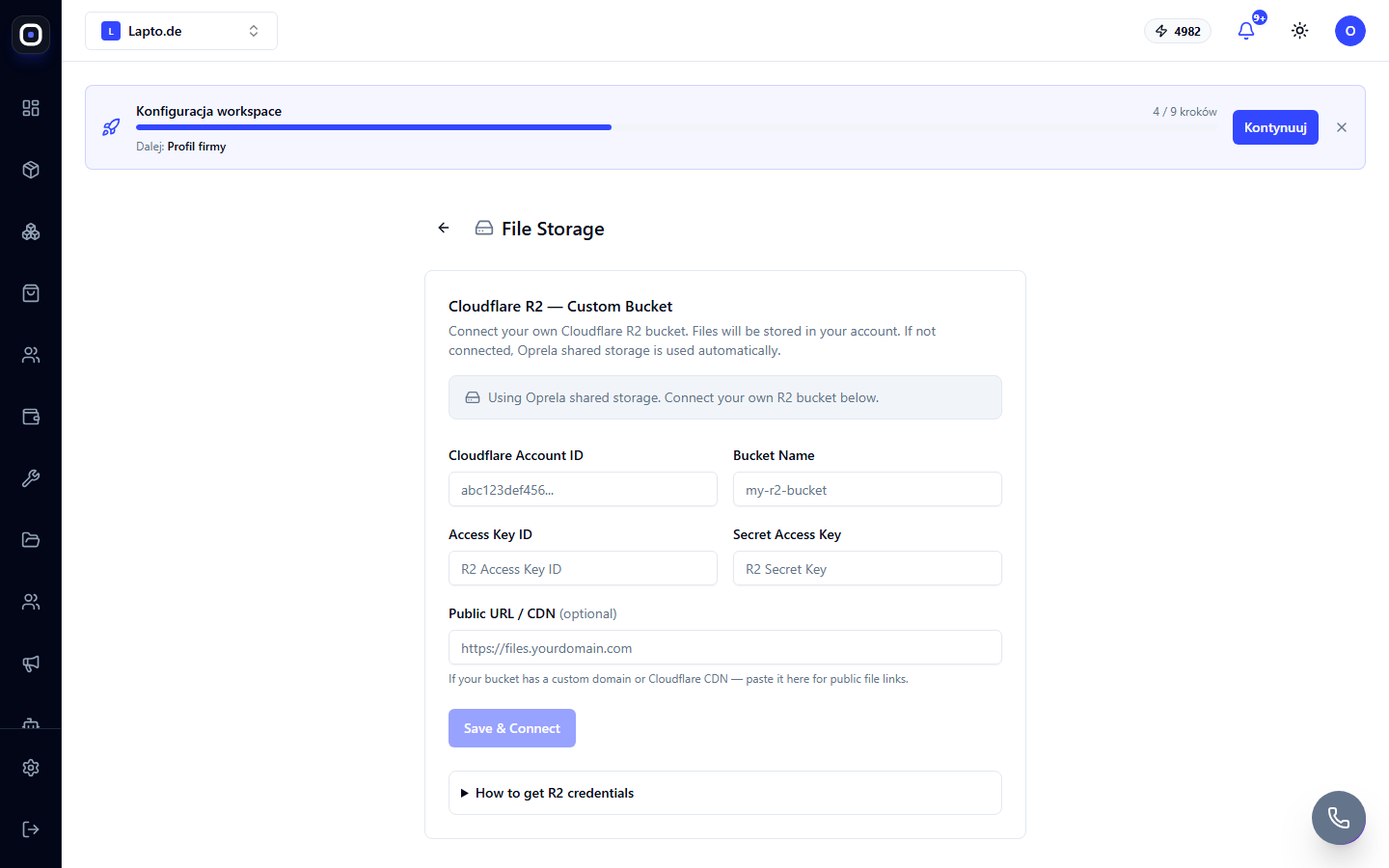
What you'll need from Cloudflare
- Account ID — on the main page of your Cloudflare Dashboard, in the right column.
- Bucket Name — the name of your R2 bucket (create it in advance under R2 → Overview if you haven't already).
- Access Key ID and Secret Access Key — created in the same place: R2 → Manage API tokens → new token with Object Read & Write permissions.
- (Optional) Public URL / CDN — if a custom domain or Cloudflare CDN is linked to the bucket, specify it here so that file links point there instead of the R2 service address.
Connection
Fill out the form and click Save & Connect — the system will immediately check the connection (a test request for the file list). A Connected status confirms that the keys are working. If necessary, you can update the keys (Update & Test) or disconnect the bucket entirely (Disconnect) — in which case storage reverts to Oprela's shared storage.
What changes
The connection only affects new uploads — files already in Oprela's shared storage are not automatically transferred to the new bucket. If a full migration of existing files is needed, please contact support.